作者:陈锋,来源:ExASIC
介绍emacs中调用verible lint来检查verilog语法方法。
一、安装verible
从 https://github.com/chipsalliance/verible/releases 下载提前编译好的verible二进制文件,解压即可使用。
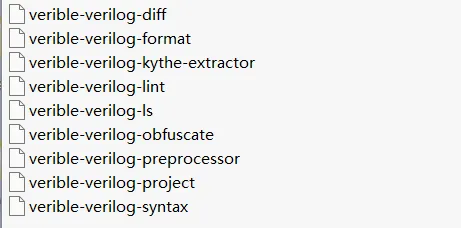
二进制包包含以下这个小工具,加进PATH环境变量里。这次我们主要关注verible-verilog-lint这个工具。
二、配置emacs verilog-mode的compile工具选项
在~/.emacs里增加verilog-tool和verilog-linter的设置。
(custom-set-variables '(verilog-tool 'verilog-linter) '(verilog-linter "verible-verilog-lint --rules -no-tabs,-no-trailing-spaces,-explicit-parameter-storage-type"))
如果项目里有makefile或者Makefile,则verilog-mode会优先使用make。这时要么我们把lint script写到makefile里,要么手改一下verilog-mode的代码,如下把第4、5行,注释起来,换成第6行,跳过makefile的检测。
(defun verilog-set-compile-command ()
  (interactive)
  (cond
  ;;((or (file-exists-p "makefile");If there is a makefile, use it
  ;;     (file-exists-p "Makefile"))
    (nil
      (set (make-local-variable 'compile-command) "make "))
    (t
      (set (make-local-variable 'compile-command)
        (if verilog-tool
          (let ((cmd (symbol-value verilog-tool)))
            (if (string-match "%s" cmd)
              (format cmd (or buffer-file-name ""))
              (concat cmd " " (or buffer-file-name "")))) ""))))
  (verilog-modify-compile-command))
三、emacs里进行lint检查
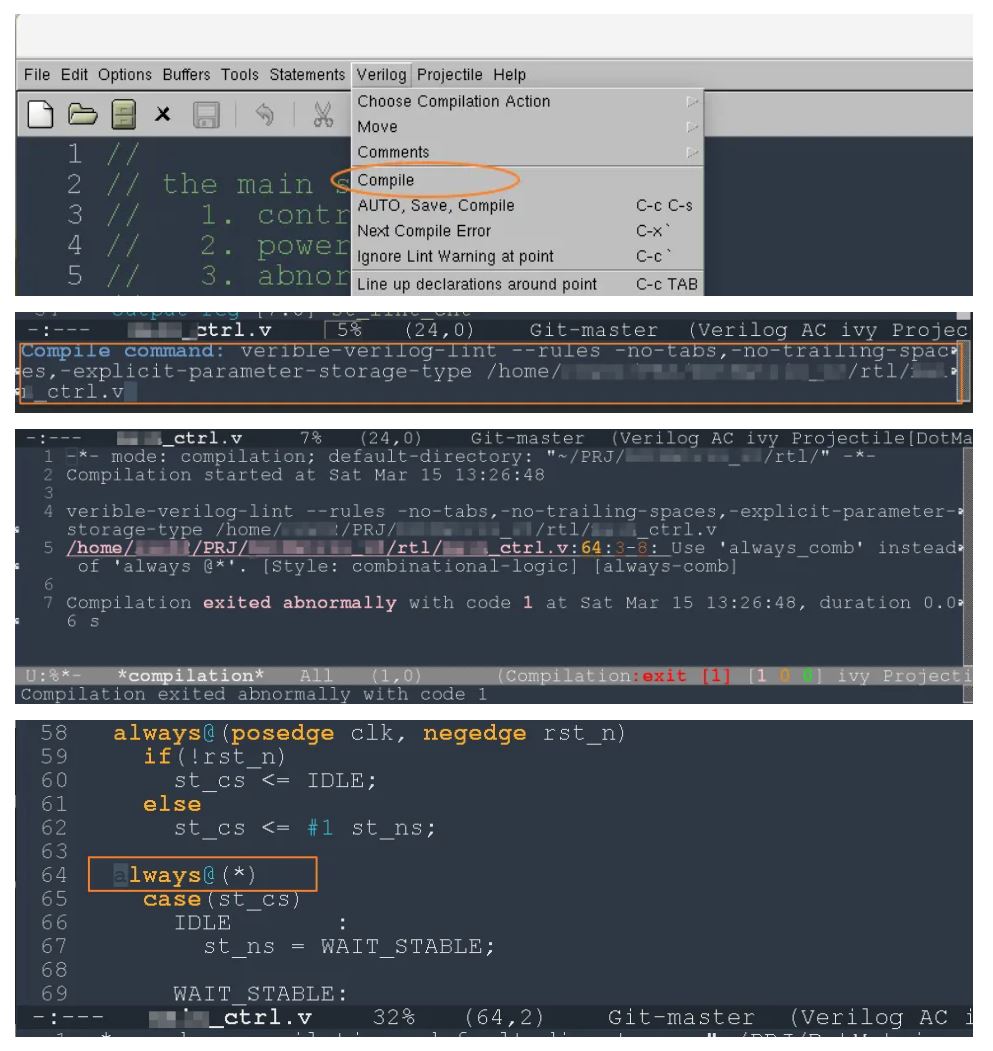
在emacs菜单->Verilog->Compile,或者M-x compile,emacs会自动调出设置的lint工具和参数,按<enter>即可对当前verilog进行Verilog检查。如果有报错,鼠标点击报错,可以自动跳转到代码对应的地方。
四、verible的lint规则
我们可以在terminal里,用命令verible-verilog-lint --help_rules all查看一共有哪些rule。如果需要enable或disable rule可以在lint选项里设置,rule前面带+表示enable,带-表示disable。解释一下上面设置的lint参数,表示disable no-tabs、no-trailing-spaces、explicit-parameter-storage-type三条rule。
verible-verilog-lint --rules -no-tabs,-no-trailing-spaces,-explicit-parameter-storage-type
五、配置其它lint
理论上可以支持任何verilog编译工具,如vcs、xrun等。有兴趣的朋友可以尝试一下。